Features
Form Builder
Intuitive interface for creating and configuring dynamic forms.
Morf's form builder gives you an intuitive interface for creating and configuring dynamic forms with powerful customization options.
Builder Overview
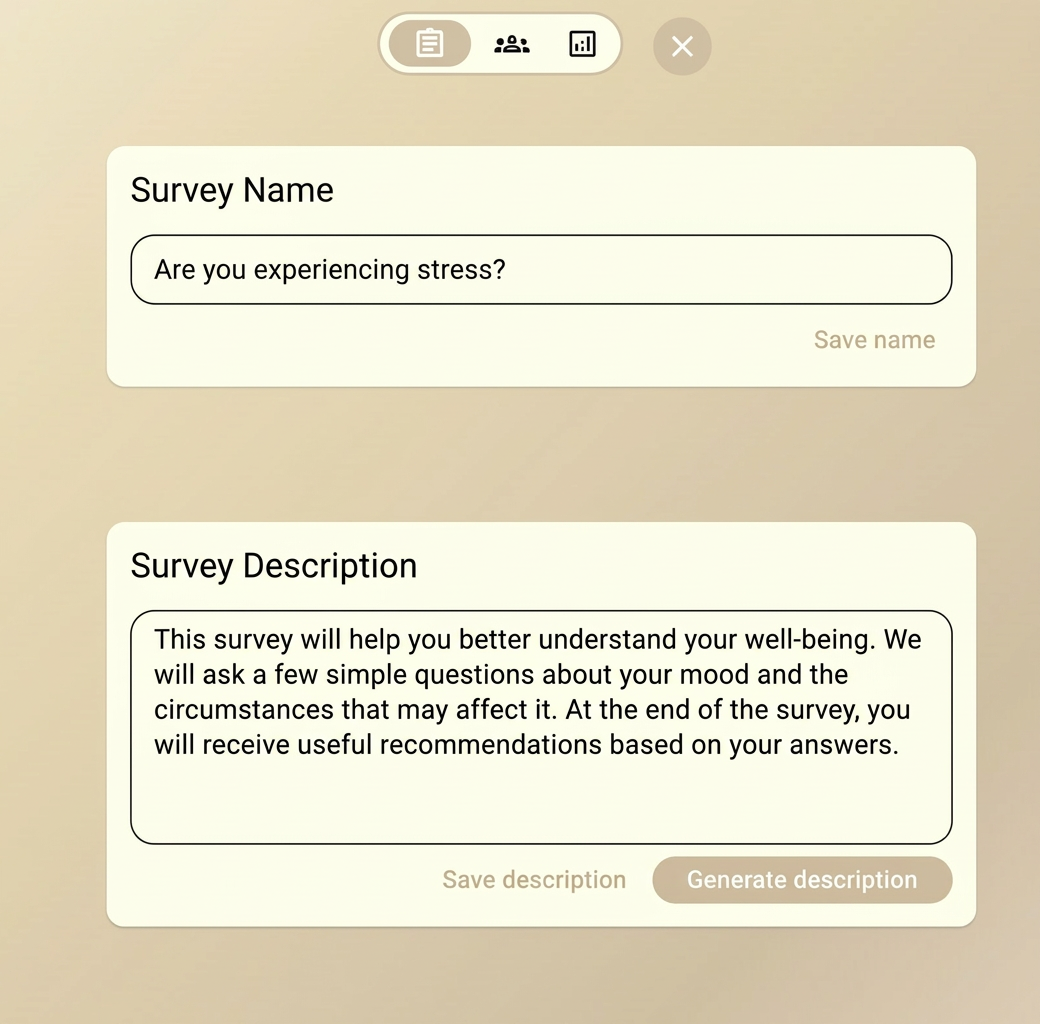
The form builder walks you through creating a dynamic form in a few simple steps:
- Name your form — give it a descriptive title and description
- Set objectives — tell the AI what you want to learn
- Configure questions — add required questions and set parameters
- Customize style — choose communication style and branding
- Preview & publish — test and launch your form
Key Sections
Objectives Editor
Define what you want to learn from respondents. The AI uses these objectives to generate relevant questions dynamically.
Required Questions
Add questions that must always be asked, regardless of the conversation flow. These ensure you always collect essential data points.
AI Settings
Configure how the AI generates and manages questions:
| Setting | Description |
|---|---|
| Communication Style | Formal, friendly, casual, or academic |
| Max Questions | Upper limit on questions per session |
| Min Questions | Minimum depth before completing |
| Follow-up Depth | How deep to probe on each topic |
| Language | Language for AI-generated questions |
Audience Configuration
Help the AI understand who will be responding:
- Audience type — students, customers, employees, etc.
- Experience level — beginner, intermediate, advanced
- Context — any relevant background information
Templates
Start from pre-built templates for common use cases:
Customer Feedback
Research Survey
Employee Survey